
Visible page boundaries
Use the canvas grid to inspect where text, faces, and important artwork cross between sheets.
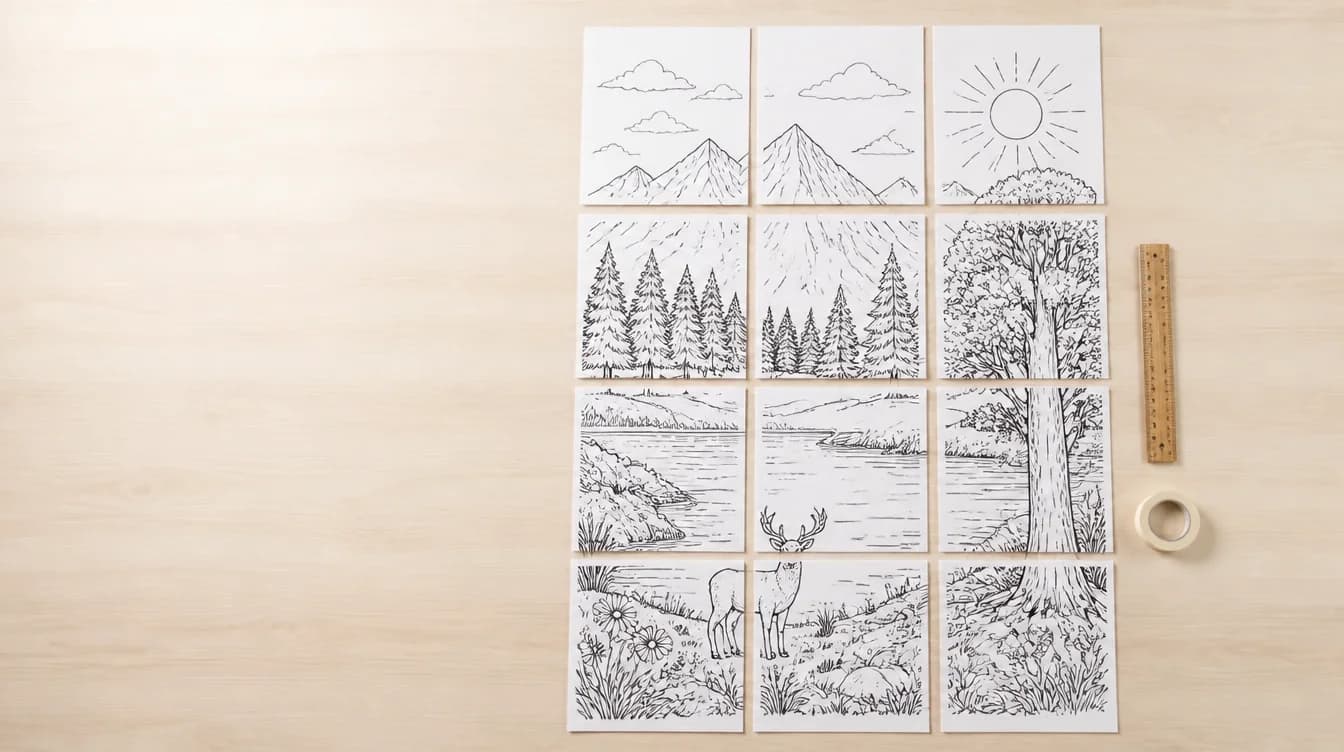
Poster splitting
Avoid repeated crops and inconsistent page boundaries. PosterCutter places a configurable grid over the entire design so you can see exactly how the image will be divided before exporting the printable tiles.
Why it helps
Use the canvas grid to inspect where text, faces, and important artwork cross between sheets.
Create compact posters or larger classroom murals by changing columns and rows.
Set the dimensions of each printed page independently from the uploaded design size.
Keep every tile generated from the same grid instead of cropping pages one at a time.
How it works
Use the highest-quality PNG, JPG, or PDF available.
Set columns and rows and confirm the total number of printed pages.
Fit, zoom, and pan the preview to check page boundaries.
Choose the paper and output settings, then download the pages.
For teachers
For sellers
FAQ
Tiling divides one large image into smaller sheets that a standard printer can handle.
Yes. Change the column and row values to update the page count and preview.
Poster size is the assembled result. Paper size is the size of each individual printed tile.
Yes. Optional labels can help identify the row and column position of each page.
Upload the complete image and choose how many printable pages should make up the final poster.
Split a poster